Real result
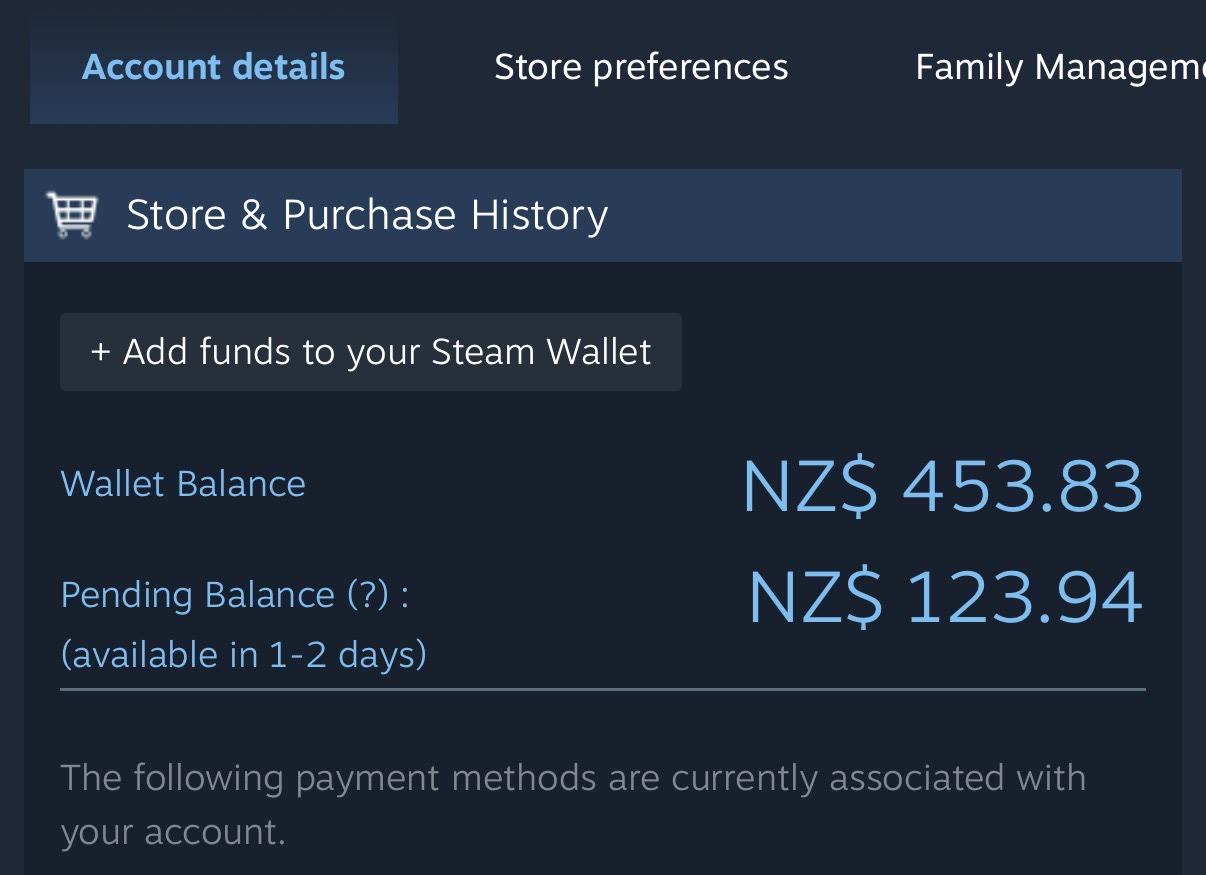
“OH MY GOD, I made $500+ overnight with all my Steam junk!”
Items that sat untouched for years, priced and listed in one pass. Wallet balance the next morning, plus more still clearing.
SteamStash prices your whole Steam inventory and lists it on the Community Market in bulk. Hundreds of items, one pass.
Items that sat untouched for years, priced and listed in one pass. Wallet balance the next morning, plus more still clearing.
Four steps from a cluttered inventory to listings on the Community Market, and nothing is listed until you approve it.
Sign in with the Steam account whose inventory you want to sell.
Pick the games to include. SteamStash shows how many items each one holds.
It loads each chosen inventory and prices every marketable item from its Community Market page.
Review the total sale value, approve what you want to sell, and list it all in bulk.
A two-minute walkthrough of SteamStash, from sign-in to listings.
Pay once, download straight away. Your download link appears after checkout and is emailed to you too. Lost it? Get a new link any time.